Plani step by step: a text to your CPCS eBill grid

Text your time. Plani files it in CPCS.

Log a call the second it ends. Plani puts the hours in eBill for you. You review and submit.

Try Plani
Setup takes a minute · No app to download · Works over text

Here is a week of billing, one text at a time.

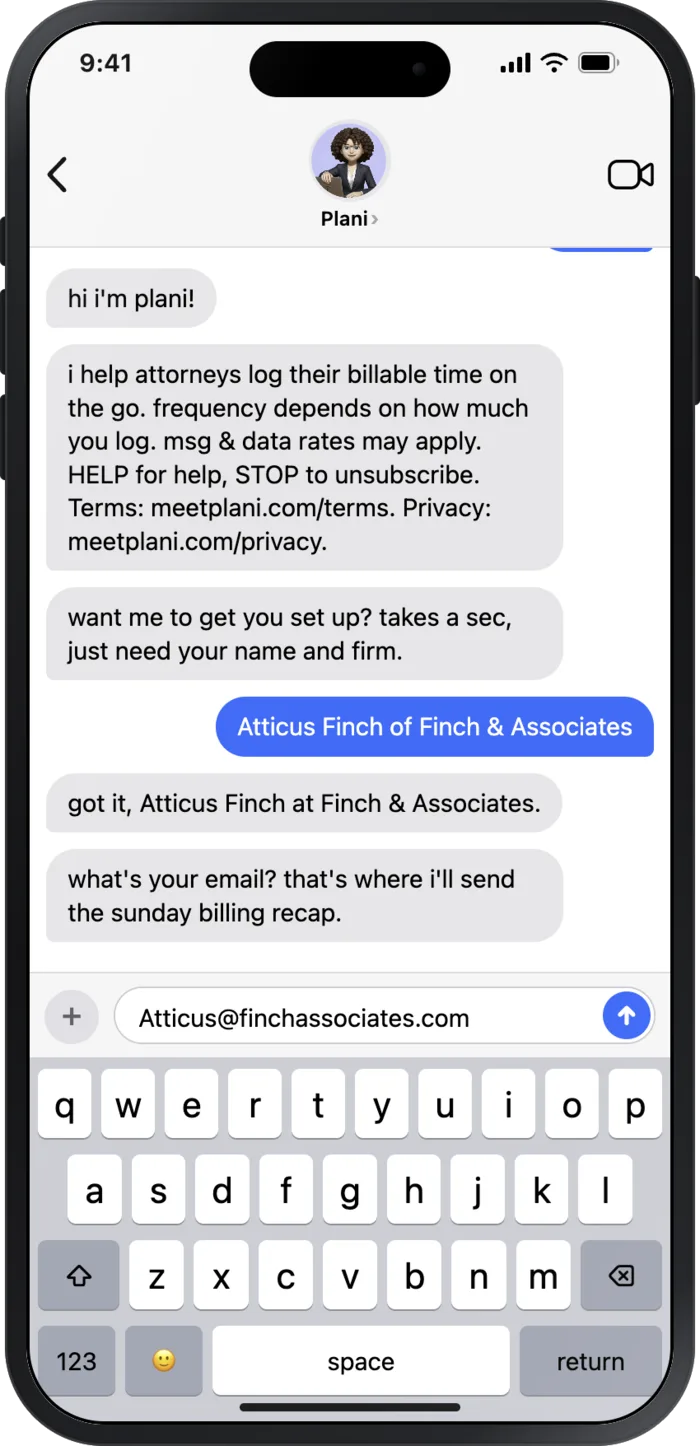
It starts with a text.

No app, no signup screen. Tell Plani your name and firm and you are set up.

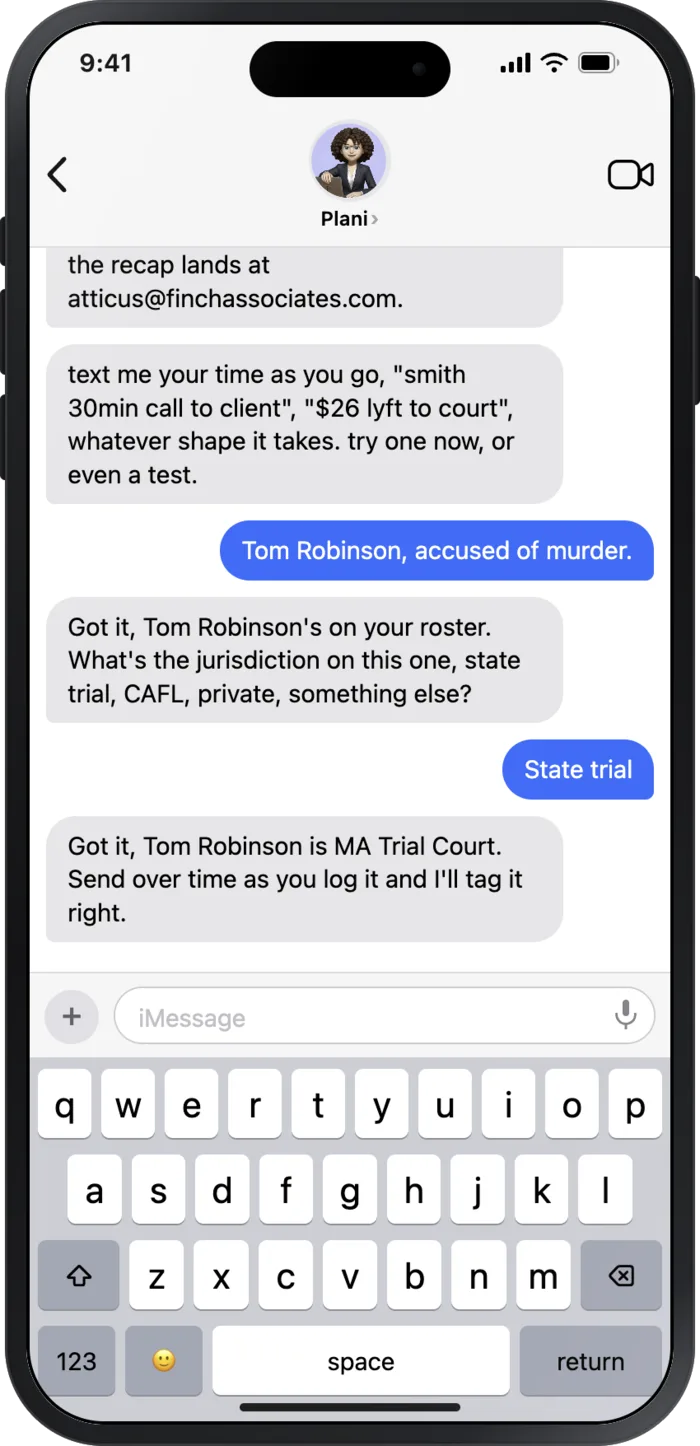
Add a client in one line.

Text the name once. Plani holds the case and asks the billing category so it never guesses.

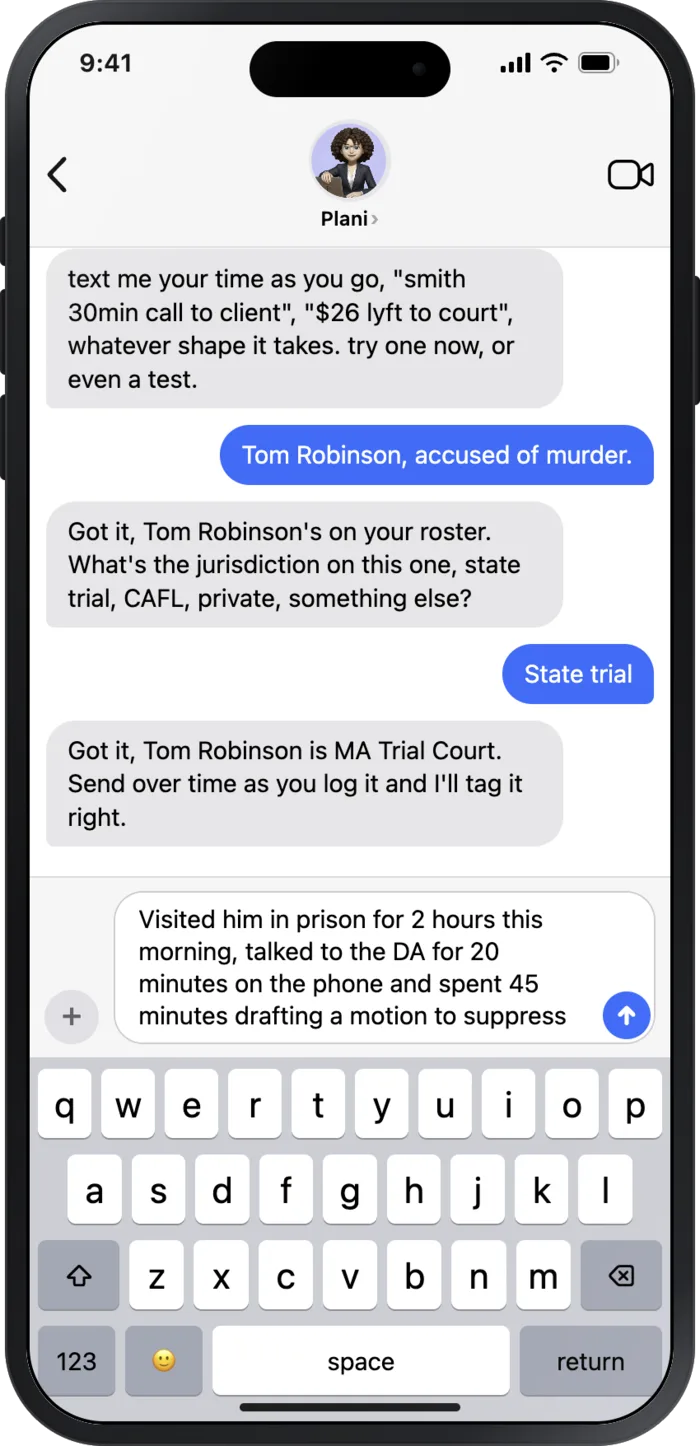
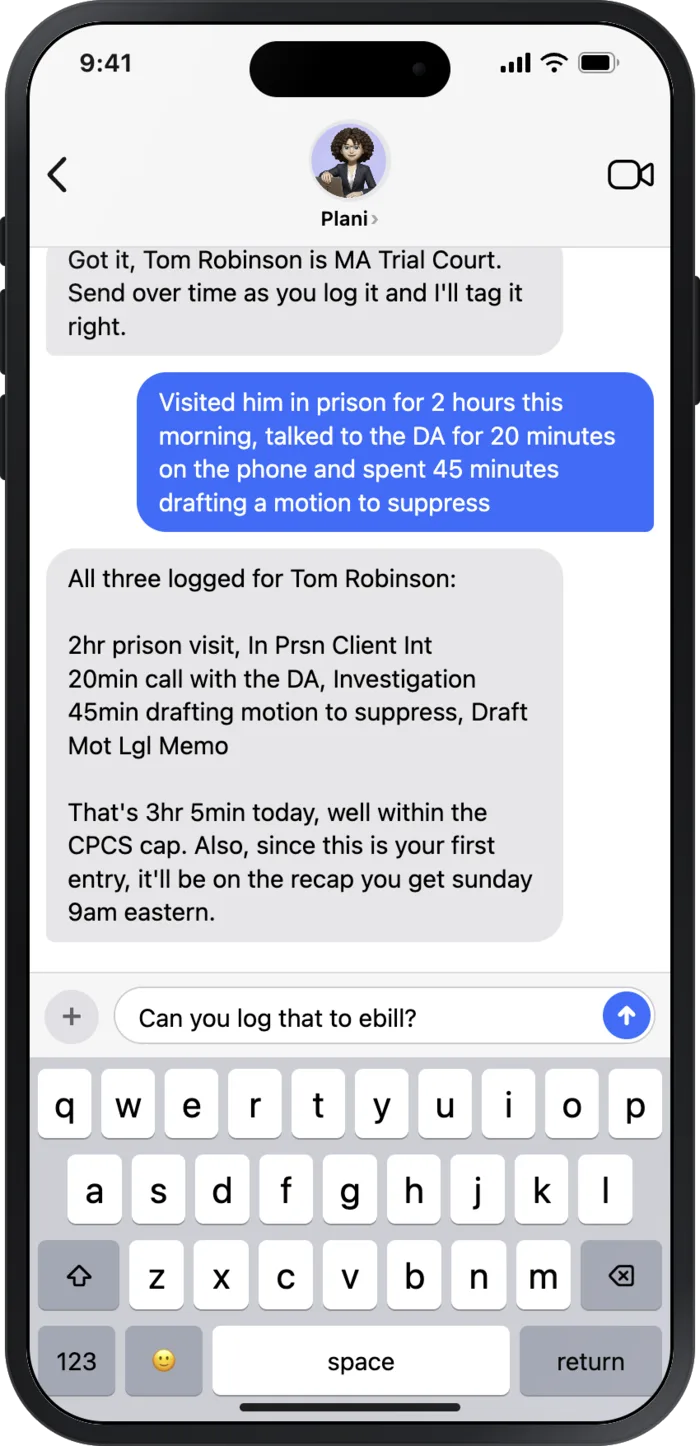
Log the time the second a call ends.

Two minutes with a client counts. Text it before it slips your mind, from anywhere.

Plani reads it back.

You see exactly what got logged, in the format CPCS wants, rounded to the nearest tenth.

That is the whole habit.

A few texts across the week. Nothing walks out the door unbilled.
Then it lands where it counts.

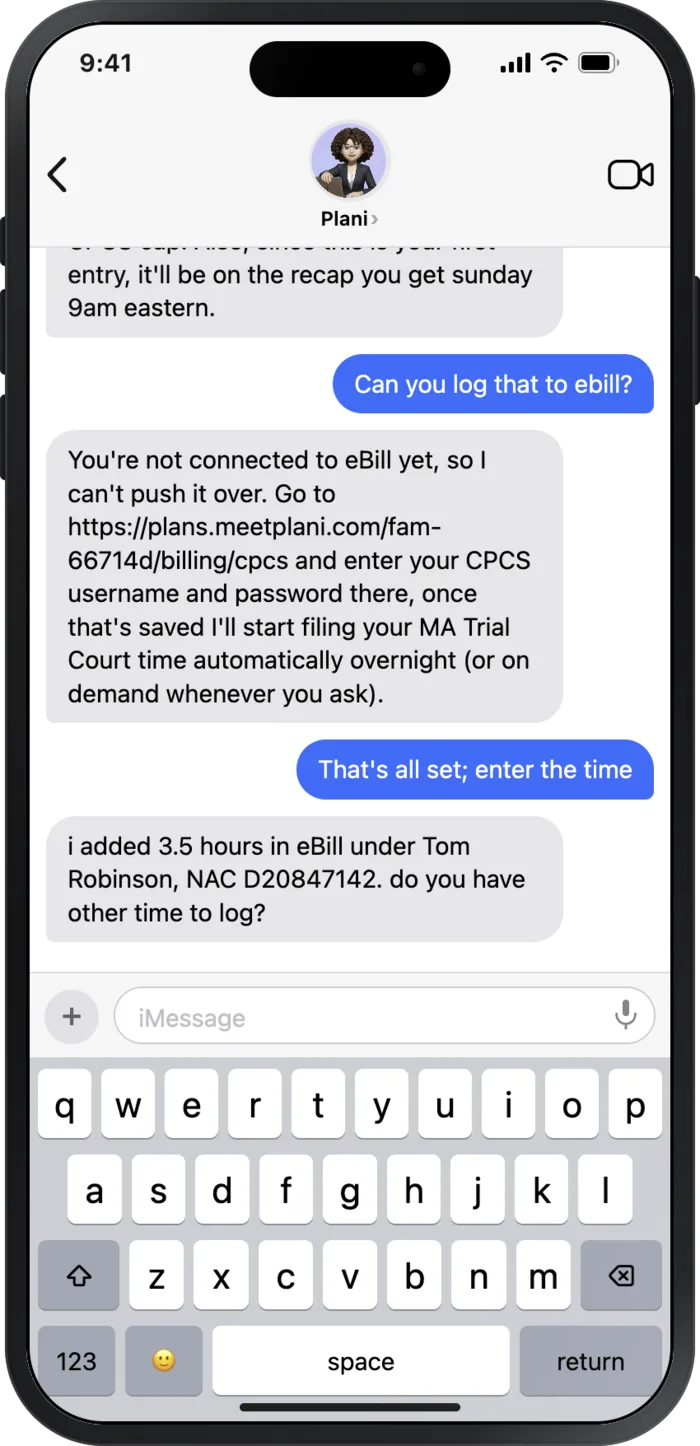
The texts are not a notepad. Connect CPCS once and your time goes into the real eBill system.

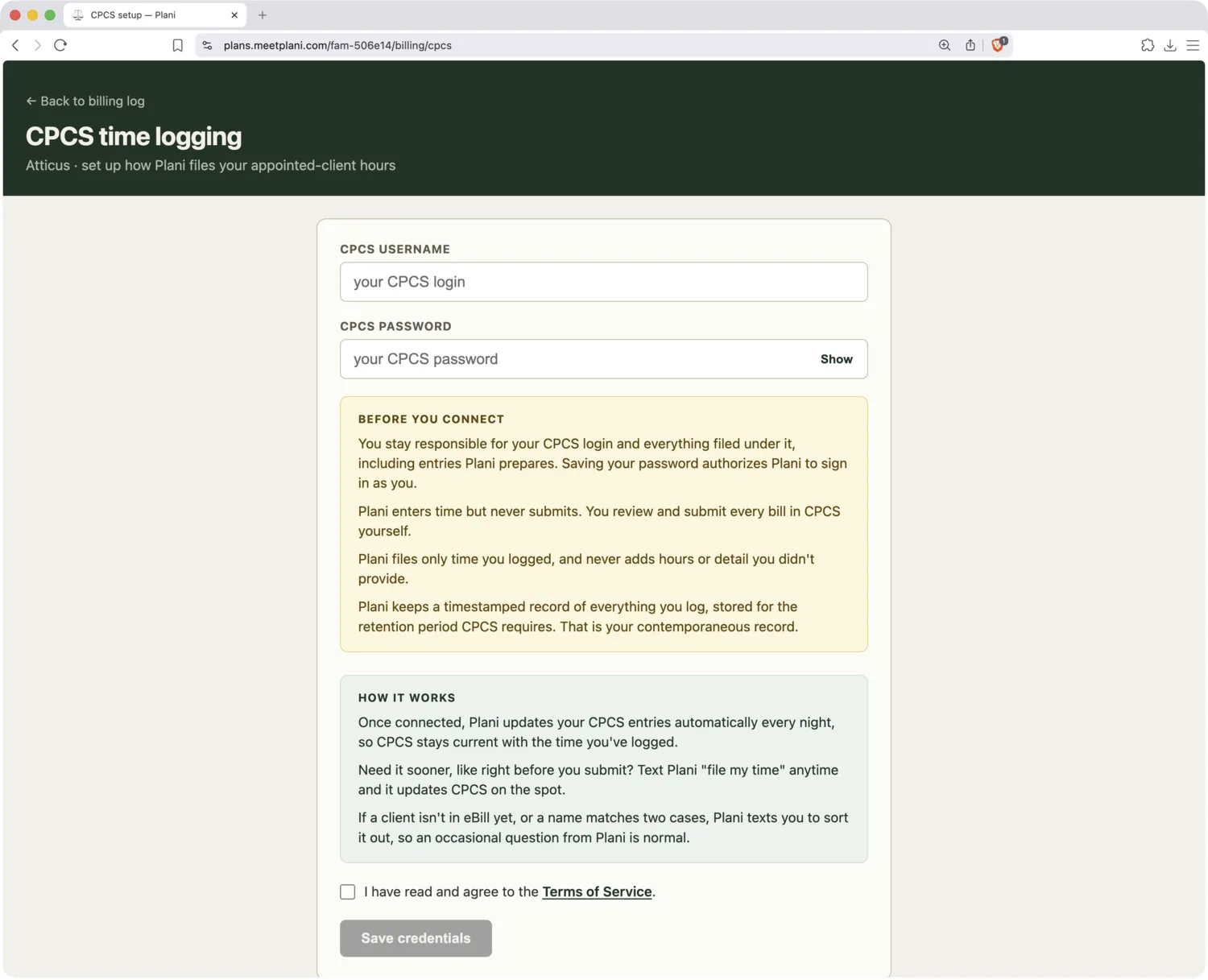
Plani CPCS setup page

Connect CPCS once.

Save your eBill login one time. After that Plani signs in like a bookkeeper you hired.

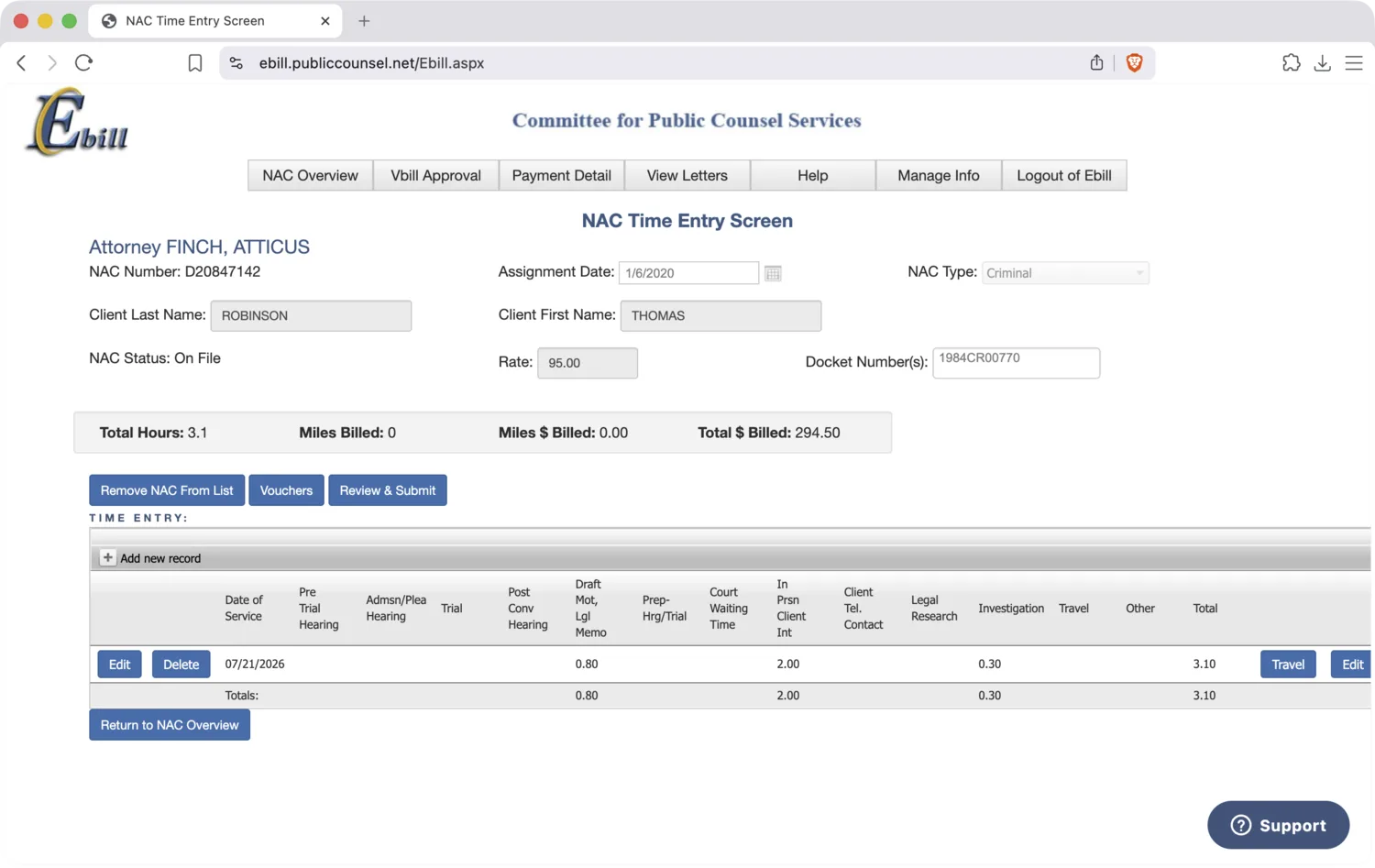
Time entered in the CPCS eBill grid

Your hours, in the real eBill grid.

Plani enters every hour in the right category and stages it. You review and hit submit. It never submits for you.

Start with one text.

Try Plani
Free to start · No app to download · Text JOIN to Plani at (617) 764-9528